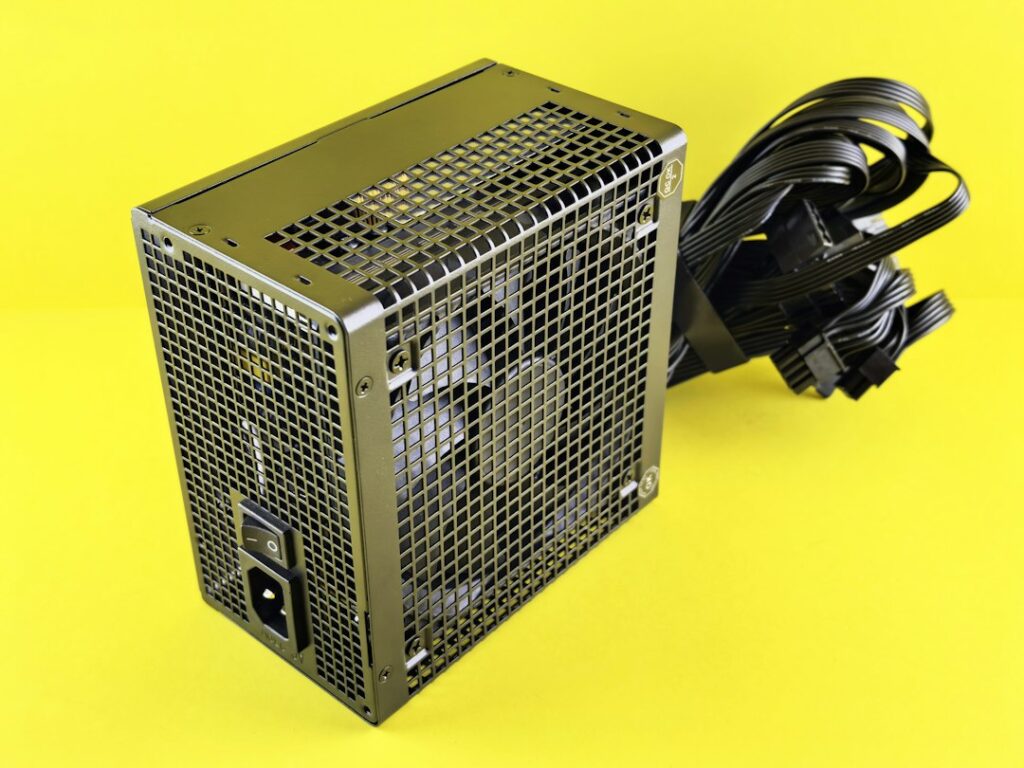

Fully modular models have detachable connections for every output cable. Semi-modular designs usually keep frequently needed leads, such as the main motherboard connection, permanently attached while allowing other cables to be removed. A nonmodular supply has all output wiring fixed to its housing. The choice changes installation and cable routing rather than the basic conversion process inside the unit. Rectification, filtering, switching, and regulation still determine how power is produced and controlled. A tidy cable bundle is useful, but it does not by itself indicate better electrical performance, quieter operation, or stronger protection features.
Capacity deserves more attention than the headline wattage. A computer needs enough output for its processor, graphics card, drives, fans, motherboard, and connected accessories, with some room for brief increases in demand. A graphics card may draw more during a demanding game than it does while browsing, so average consumption alone can give an incomplete picture. Check the requirements published for the major components and consider the entire system. Headroom keeps the supply from running at its practical limit during ordinary peaks. Choosing the largest number available is not a substitute for checking the system’s actual requirements.
Efficiency describes the portion of incoming electricity delivered as useful output, with the remainder released as heat. It does not measure cable quality, maximum capacity, or modularity. Efficiency also changes with load, temperature, and the design of the supply, so a label should be considered alongside the computer’s expected workload. A lightly used office system and a workstation rendering for hours will create different thermal demands. Heat can influence fan behavior and the temperature inside the case. Comparing performance near the load the computer will actually sustain gives more useful information than focusing on a single efficiency figure.
Internal design controls qualities that the outside cable layout cannot reveal. Regulation keeps output voltages close to their intended levels as the connected load changes. Ripple is the small residual variation on a DC output after filtering. Excessive ripple can be harmful to sensitive electronics, while inductors and capacitors help reduce switching noise. An inductor resists rapid changes in current, which makes it useful in filtering circuits. These parts require sound engineering and appropriate protection circuitry. A supply can have beautifully organized detachable cables and still be a poor choice if its regulation, thermal behavior, or protections do not suit the system.
Cable compatibility deserves a careful check during an upgrade. Modular connectors that look alike are not guaranteed to share the same pin assignments, even if they fit the sockets. Using a cable from a different supply can send a voltage to the wrong contact and damage hardware. Use only cables supplied for the specific model, or cables that the manufacturer explicitly identifies as compatible. Before removing the old unit, photograph or label each connection and compare it with the installation guide. Never force a plug. Keeping spare cables in a labeled bag also prevents a later rebuild from turning into guesswork; practical power design guidance can help with that review.
Physical fit and connector planning matter alongside electrical specifications. Confirm that the supply fits the case, that its cooling intake will not be blocked, and that the available leads can reach the motherboard and graphics card without sharp bends or excessive strain. Some builds benefit from separate required graphics leads routed directly to the supply rather than relying on improvised extensions. A quiet home computer may favor low noise and easy cable management, while a heavily loaded workstation may place greater emphasis on sustained capacity and heat control. Evaluate those needs separately, then verify the manual before connecting anything.